
Every area of crane operation in one sequenced pathway.
Machine-specific operator pathway
Kobelco CK1600
Operator Development
A structured path from the manufacturer’s manual to demonstrated knowledge of this machine’s systems, limitations, setup, operation, and emergency response.
Page-referenced instructionModule labels identify the exact O&M or specification-book page to use with the employer-issued manuals.
About this demonstration
Use this course to study the manual and practice decisions. Lesson completion records knowledge checks; supervised practice and employer authorization are separate.
Demonstration course · not for use in operating a crane.
Operator pathway
Learn it. Understand it. Apply it coached. Prove it separately.
Each lesson runs the same loop: learn it, work a changed condition, practice it with your trainer, then show an evaluator.
Course progress0 of 11 complete
Explore the crane and its systems
Explore the machine
Learn it. Understand it. Apply it.
Rotate the crane to learn its parts, explain the radius relationship, then connect an exact OEM detail to coached practice.
Interactive 3D · simplified reference
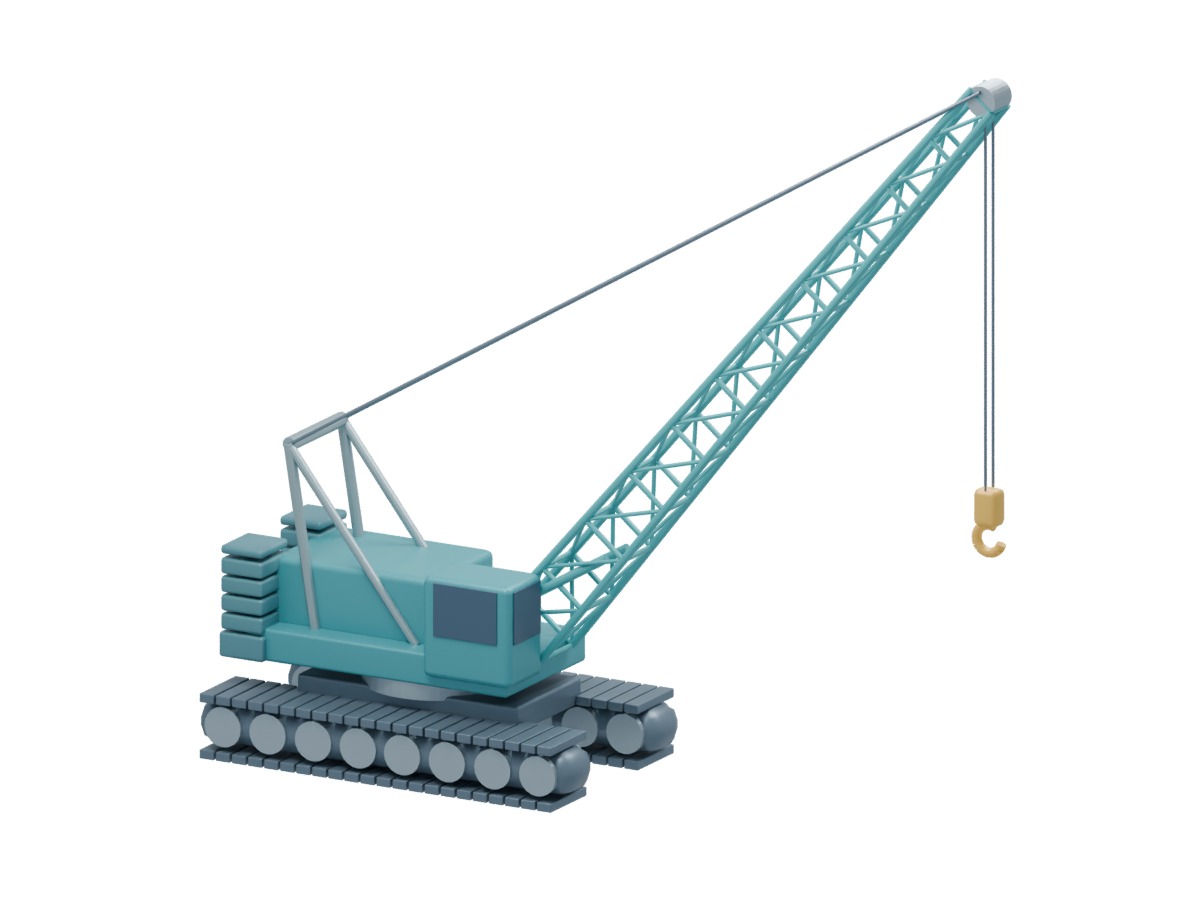
Open the 3D view to rotate and highlight parts.
Recognition illustration. Rebuilt in Blender from the component relationships on CK1600 O&M PDF p142, p167, p334 and p338. Simplified, not to scale; exact reeving, connections and options are omitted. Verify installed equipment on the crane.
Move the illustration · explain the relationship
Concept illustration only. Slider positions are arbitrary. It supplies no angle, distance, capacity, deflection, support limit, or permitted configuration.
Exact OEM page · selectable close-ups
Focus the original drawing, then return to the complete page for conditions and warnings.
Recognition before operation. These views do not simulate a control, authorize operation, or replace the full procedure and supervised familiarization.
Course overview and study details
Applied decision checks distributed through the complete course.
All required checks must be correct. Field evaluation and authorization remain separate.
Find the controlling pages for controls, LMI, setup, load charts, and transport.
Browse the source guide →Practice with source visuals
For employers and trainers
Owner view
Make the machine feel understood before anyone touches a control.
Kobelco CK1600 training should leave an owner with visible evidence: the learner can recognize the machine, explain the decision, rehearse the change, and show what source controls the answer.
Complete OEM pages stay in view while focused details make recognition fast.
Interactive prompts ask what changed, what source is needed, and when work stops.
Each lesson ends with coached application and a separate evidence handoff for the trainer.
Configuration and chart reference
Reference chart library
Kobelco CK1600 Spec Book
Open the complete, model-matched OEM reference book (30 PDF pages). The manual remains the source for procedures; this chart supplies table examples and configuration notes.
Demo reference. Study the full chart heading, notes and configuration. A reference value does not approve a lift.
Featured manual pages
OEM visual index
Start with the detail; keep the complete page one click away
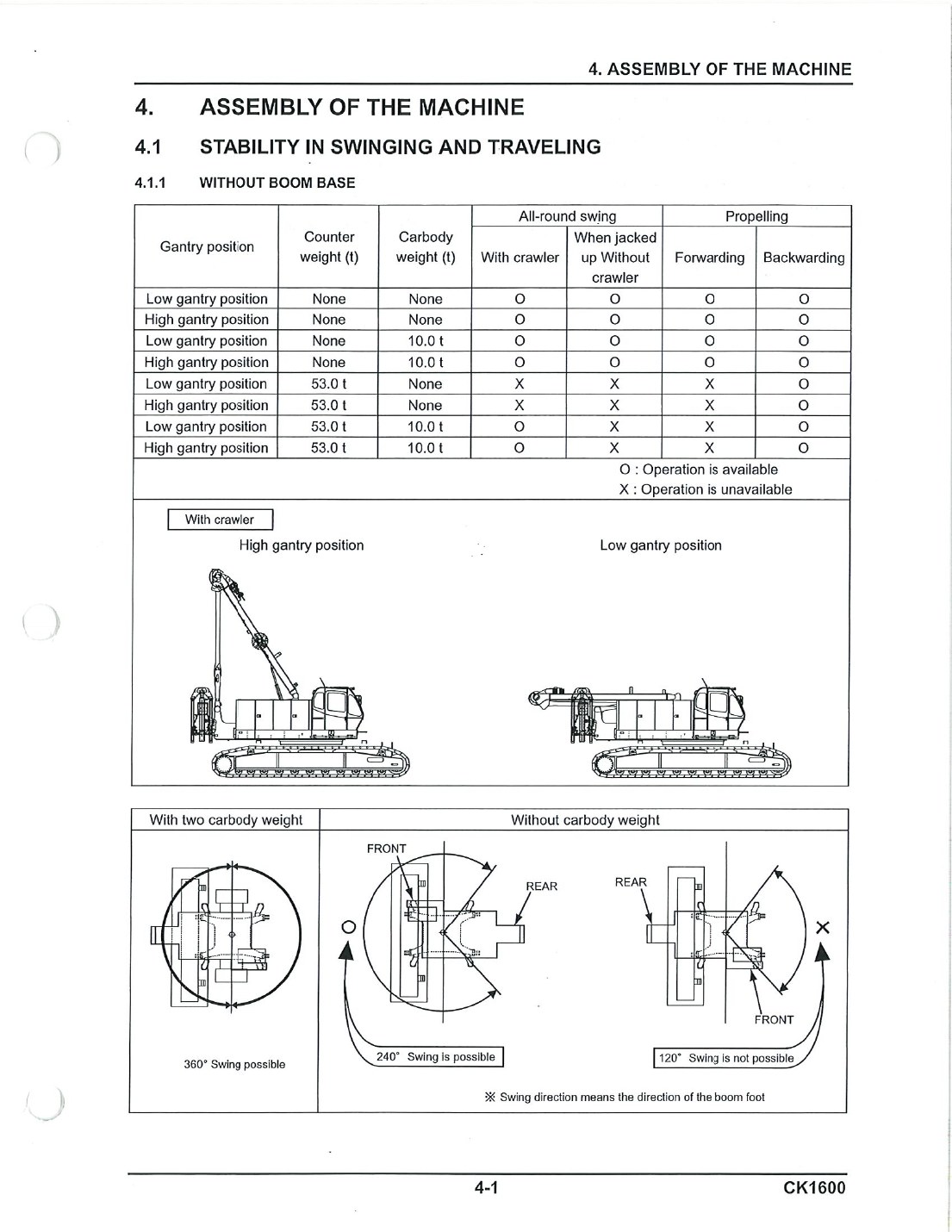
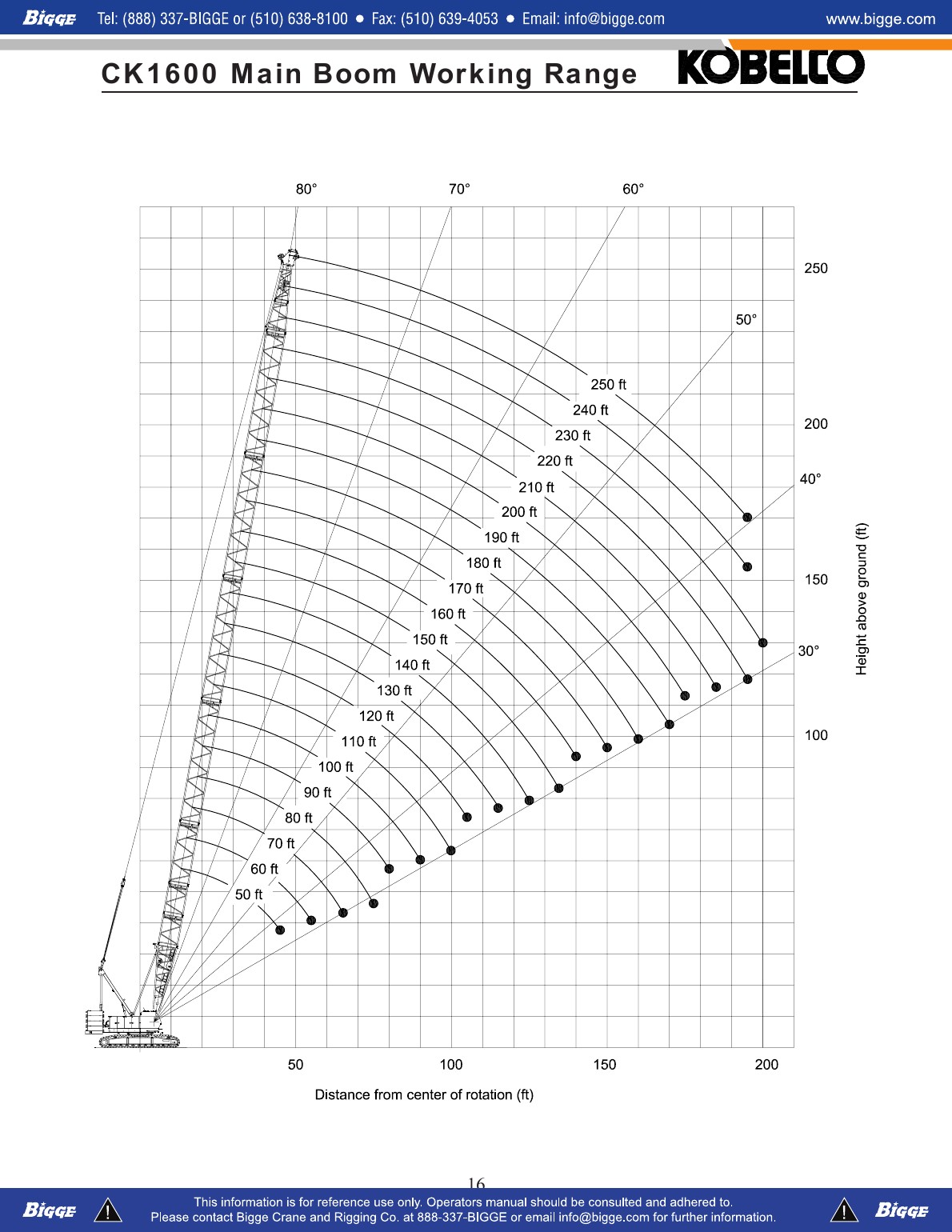
These reliable local views cover the highest-value recognition and decision tasks.
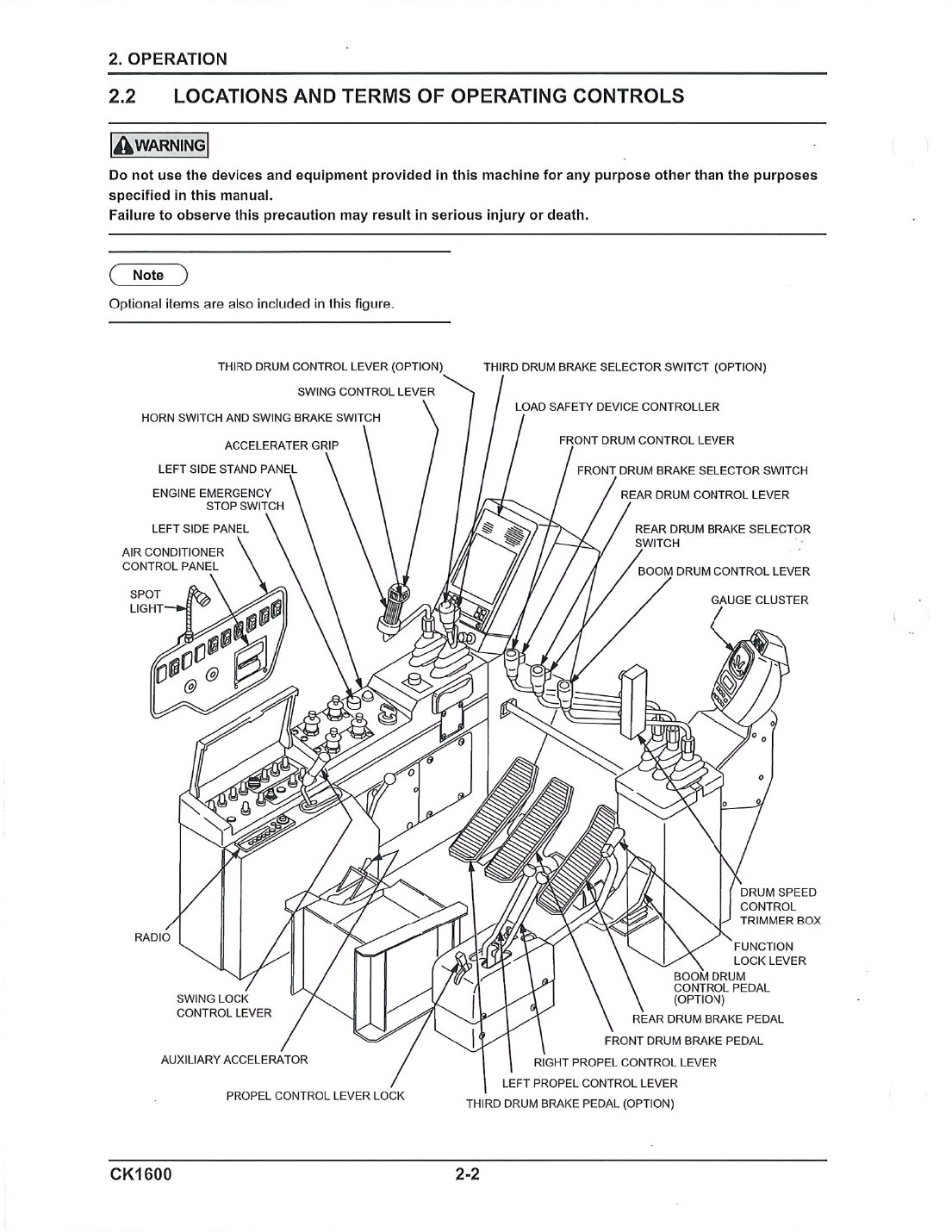 O&M PDF p35 · complete pageOperator-station orientation
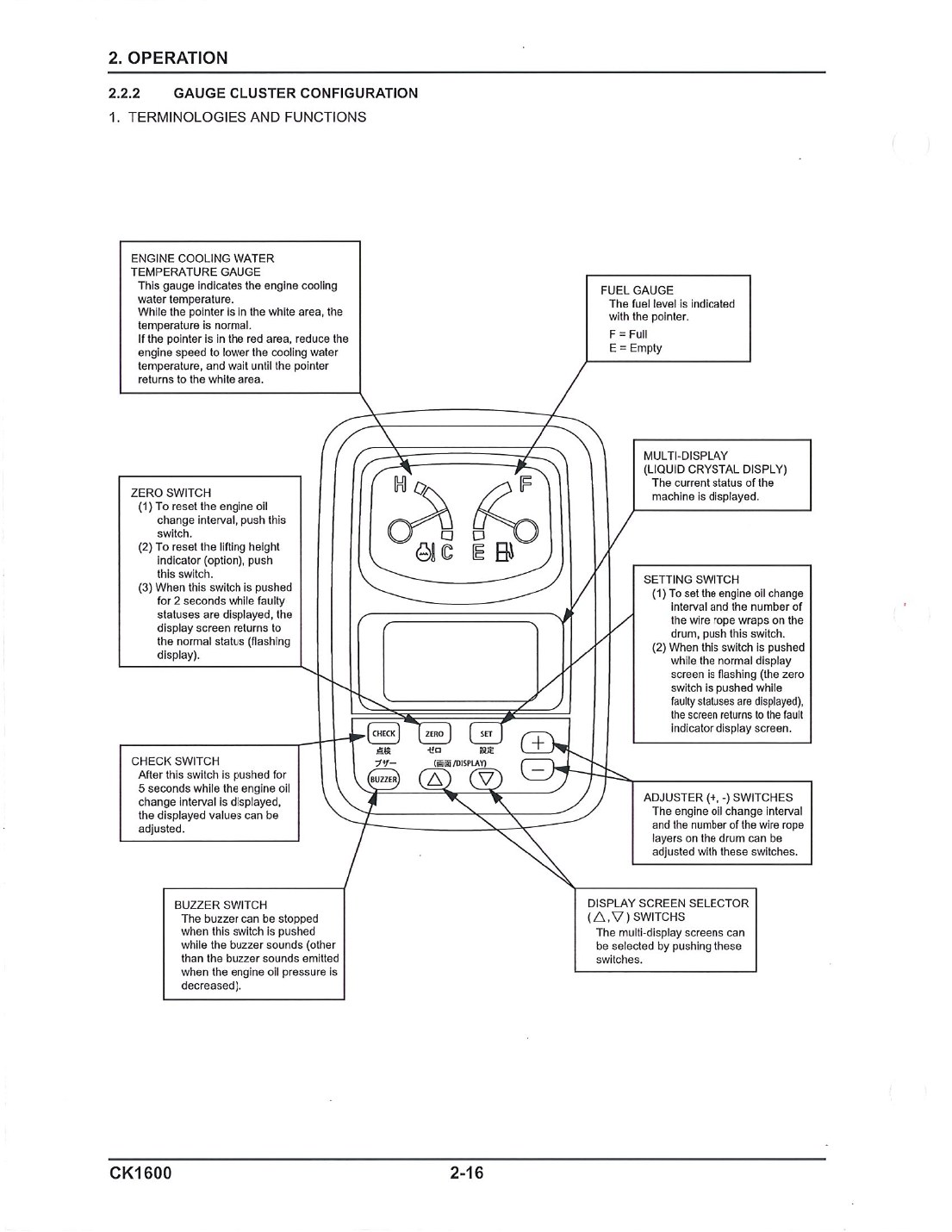 O&M PDF p49 · complete pageGauge cluster and switches
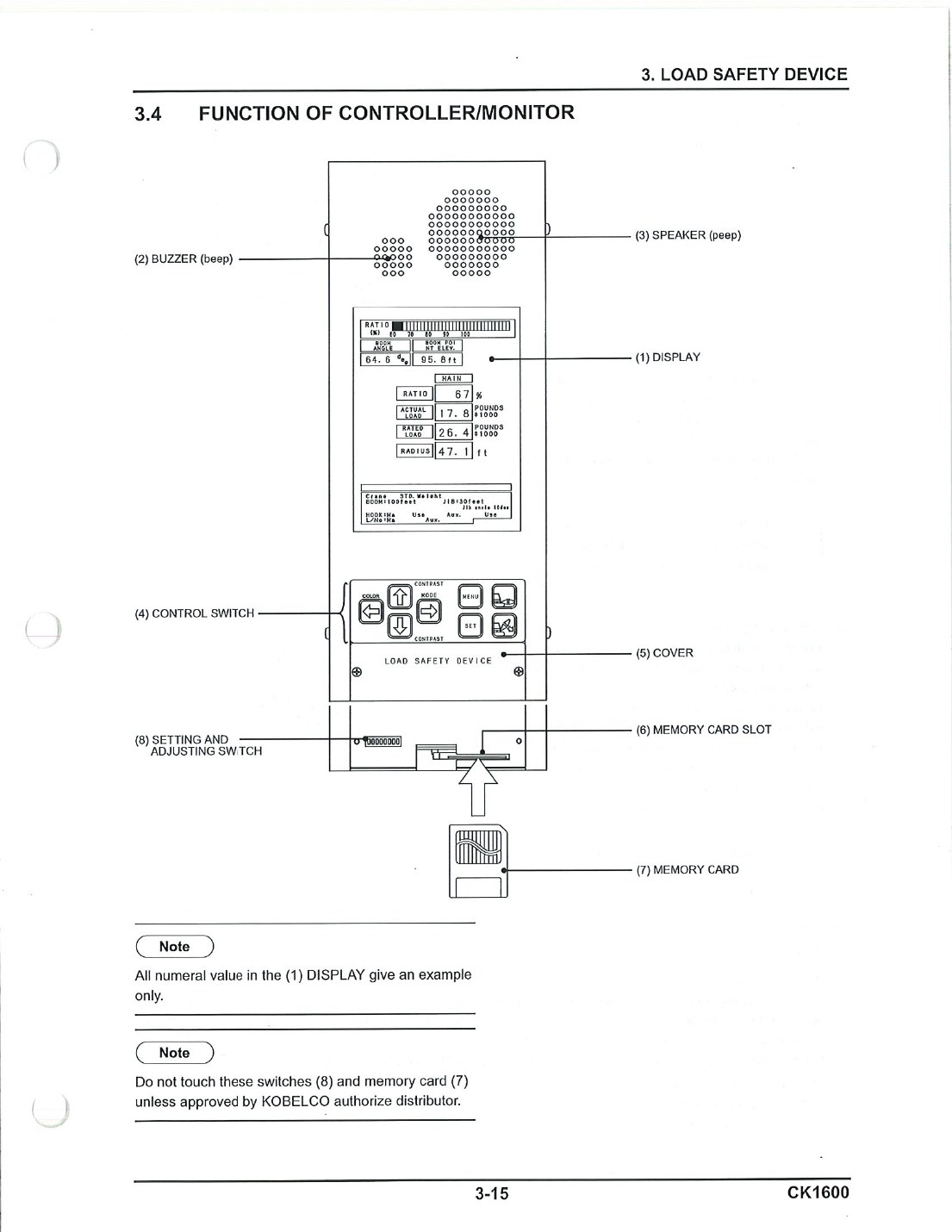 O&M PDF p102 · complete pageLoad-safety display
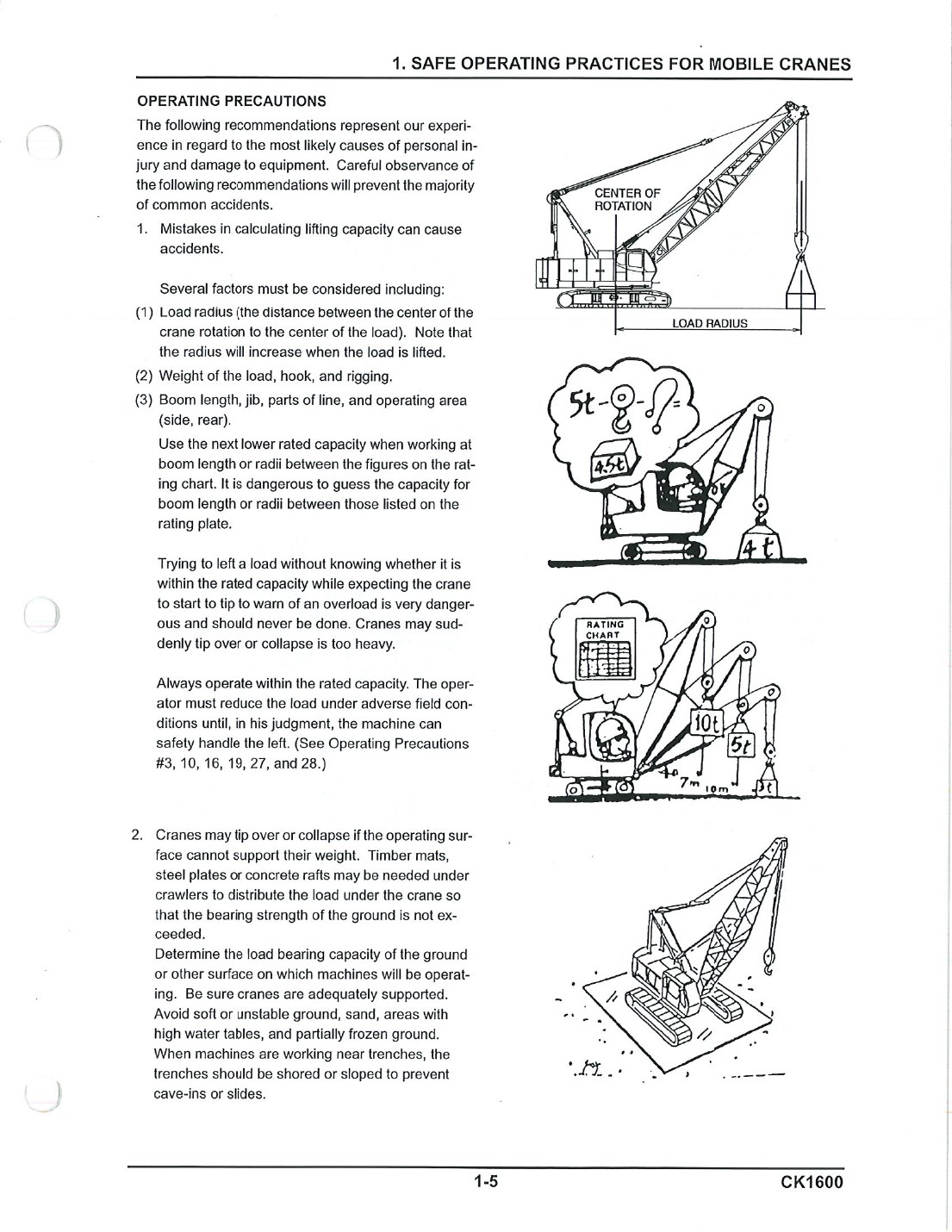 O&M PDF p18 · complete pageRadius and ground support
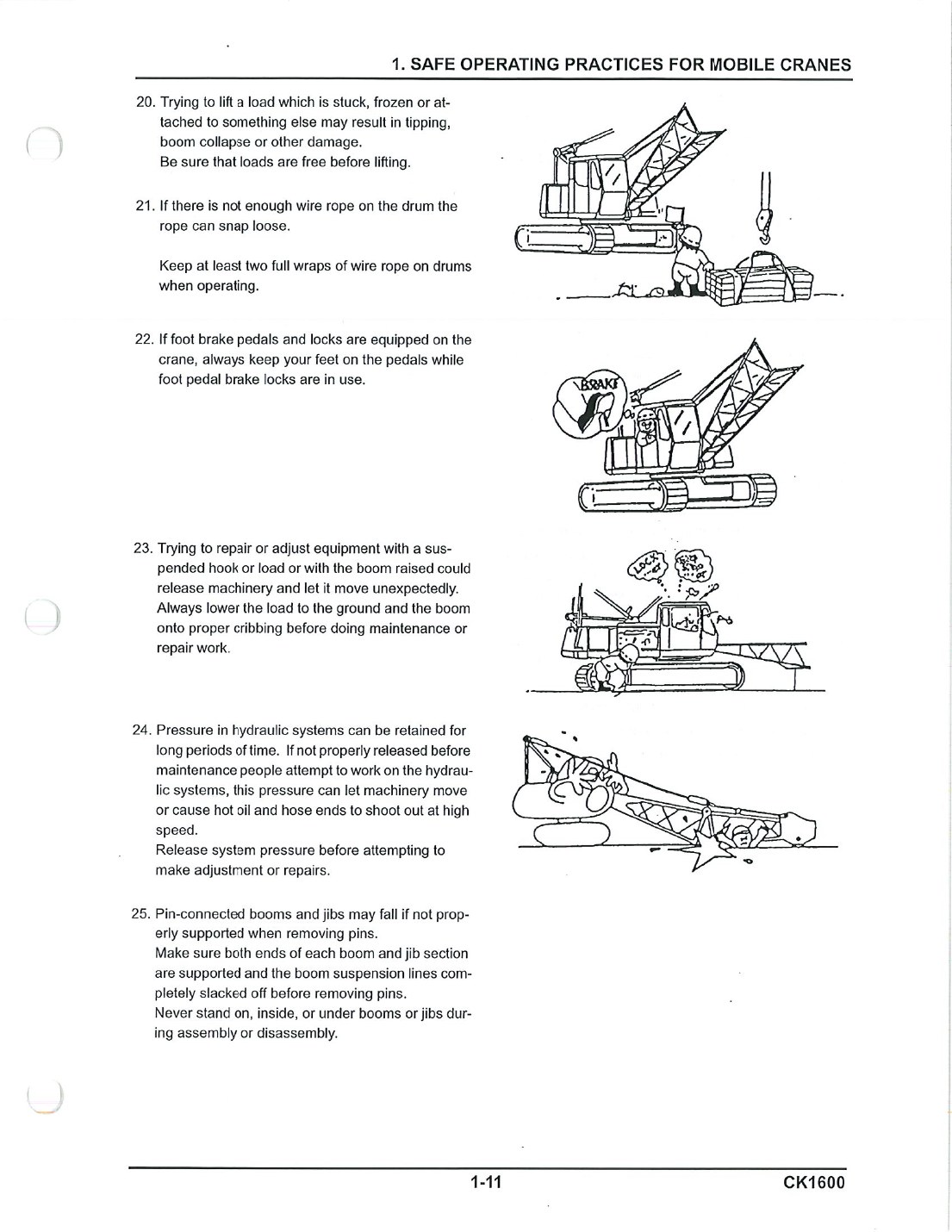 O&M PDF p24 · complete pageRope wraps and boom pins
Specification PDF p17 · not a capacity chartBoom geometry and working range
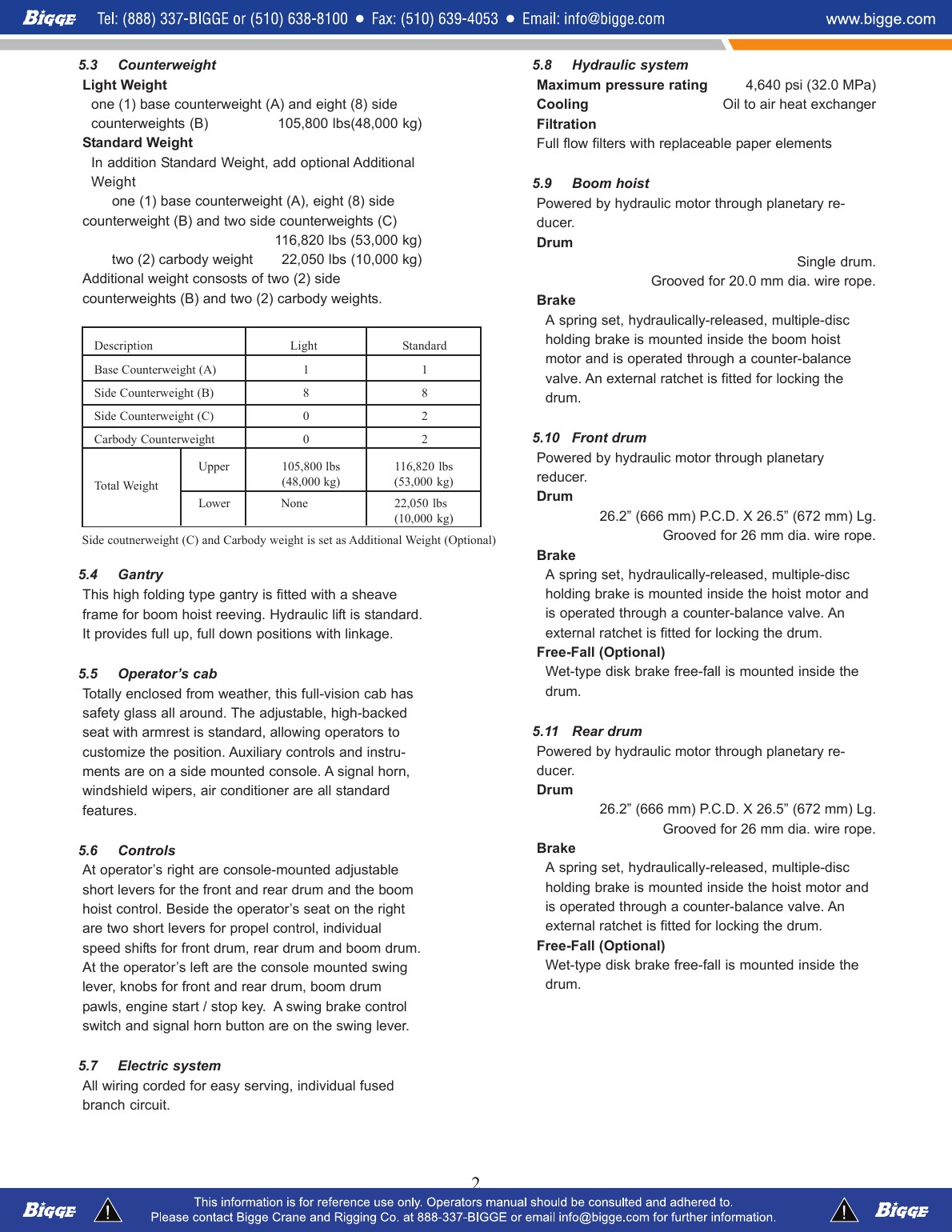 Specification PDF p3 · complete pageCounterweight arrangements
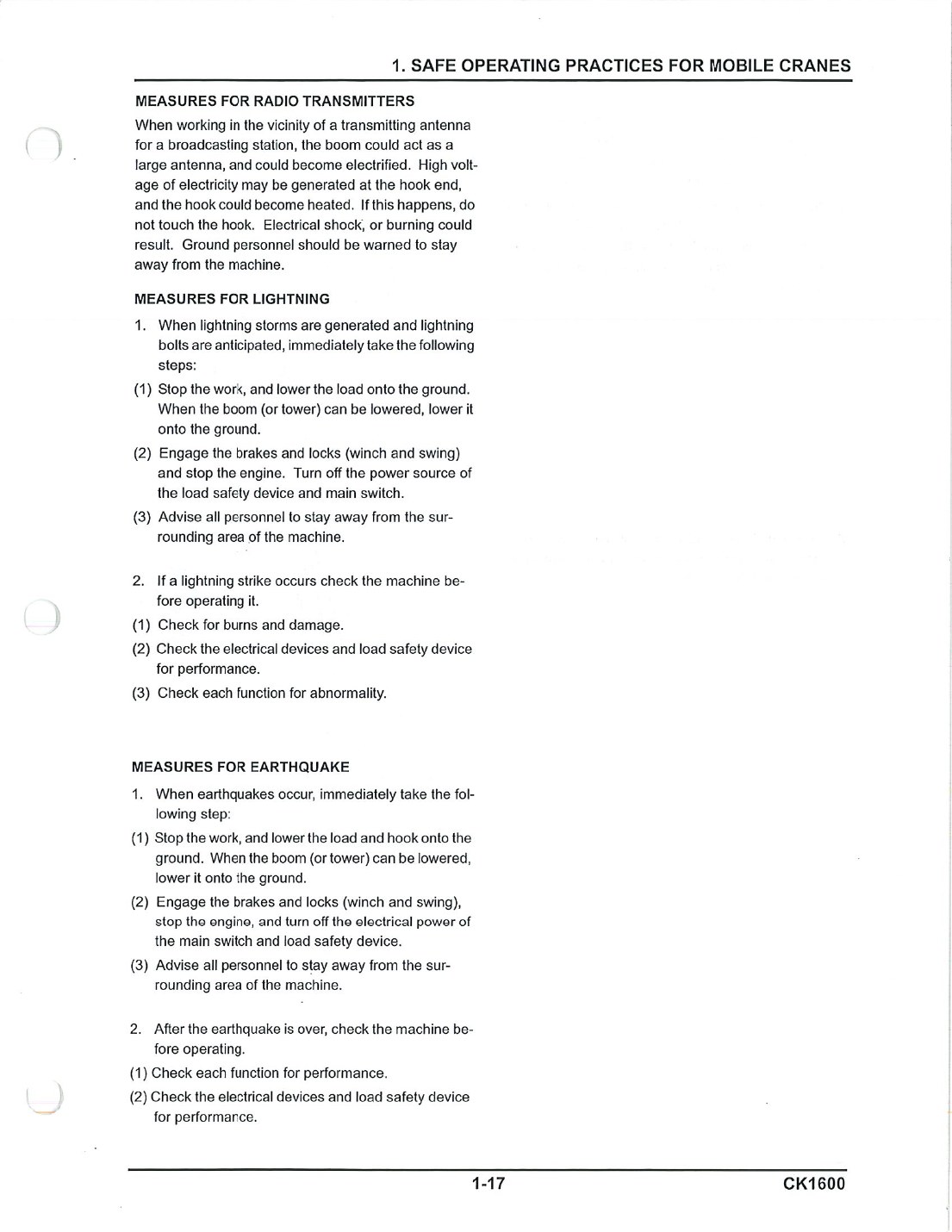 O&M PDF p30 · complete pageEmergency response sequence
Qualification method
Learn. Understand. Apply. Prove.
Manual-based instruction supports the employer’s qualification process. It does not replace hands-on evaluation, site procedures, or authorized supervision.
Learn the machine
Trace operating knowledge back to manufacturer information.
Understand changing conditions
State the hazard, controlling source, operating decision, and stop point.
Apply it coached
Observe, rehearse, correct, and repeat within the current permission boundary.
Prove it separately
Complete an unprompted evaluator-scored attempt with evidence and authorization.